Service · Revit families

Revit families from any file.

Send a PDF, an image, a sketch, CAD, SketchUp, 3ds Max or an old family. Our AI builds loadable, parametric Revit families in code, checks every type, and hands them over ready for your projects.

Real Revit, recorded: one family switching types. Nothing breaks.

Send us any of these

  • PDF
  • JPG / PNG
  • Hand sketch
  • DWG
  • DXF
  • RFA
  • RVT
  • SKP
  • MAX
  • FBX
  • 3DM
  • STEP
  • IPT
  • SLDPRT
  • IFC
  • OBJ
  • XLSX

01 · Any input

Any file in.
A Revit family out.

Whatever you have, from a phone photo to a 3ds Max scene or an old, broken family. Everything comes back as a native .rfa.

  • .pdf

    PDF drawings

    Shop drawings, catalogues and spec sheets, read to the millimetre.

  • .jpg .png .heic

    Images & photos

    A product photo, a render or a screenshot, plus a few key sizes.

  • paper · tablet

    Hand sketches

    A sketch with the main dimensions is enough to start.

  • .dwg .dxf

    AutoCAD & CAD

    2D drawings or 3D solids from AutoCAD and other CAD tools.

  • .rfa .rvt

    Existing Revit families

    Heavy, broken or in-place families rebuilt, fixed or brought up to your standard.

  • .skp

    SketchUp

    SketchUp and 3D Warehouse models rebuilt as real families, not imported meshes.

  • .max .fbx

    3ds Max

    Visualisation models turned into light, parametric BIM families.

  • .3dm

    Rhino

    Freeform designs rebuilt with native Revit geometry and parameters.

  • .sldprt .ipt .step .iges

    SolidWorks, Inventor, STEP

    Manufacturer CAD turned into BIM families with the right level of detail.

  • .ifc

    IFC & other BIM

    Objects from Archicad, Tekla and other BIM tools, made native to Revit.

  • .obj .stl .glb

    Meshes & scans

    Used as the reference for clean, native geometry.

  • .xlsx .csv

    Product data

    Sizes and options from a spreadsheet, turned into types and a type catalogue.

02 · In every family

The standard the big
family makers ship.

Not dummy 3D. Every family is built the way a BIM manager would want to find it in a library.

  • Loadable .rfa

    Real families you load into any project. Never in-place models or imported meshes.

  • Types & parameters

    Sizes and options as type parameters, with formulas where the design needs them.

  • Materials

    A material parameter for every part, so finishes change without editing the family.

  • Schedulable data

    Shared parameters for sizes, codes and whatever your schedules need.

  • References

    Named reference planes and references, so dimensions and alignments snap.

  • Subcategories

    Each part on its own subcategory, for visibility and graphics control.

  • Nested families

    Repeated parts as nested families: change one, every copy follows.

  • Flex-tested

    Every type is flexed and measured before delivery, so nothing breaks when you change it.

03 · How it works

Four steps,
file to family.

  1. 01

    Send your files

    Any format above, how many families you need and your Revit version.

  2. 02

    AI reads and builds

    Our AI reads the input to the millimetre and builds each family in code, through our own Revit add-ins.

  3. 03

    It checks its own work

    Every type is flexed and measured. If anything is off, it fixes its code and runs again.

  4. 04

    You get the package

    The .rfa families with previews. If you want it, your model upgraded too, with sheets and schedules.

04 · Projects

Families we’ve built,
with the numbers.

Real jobs, real logs. Client names stay private.

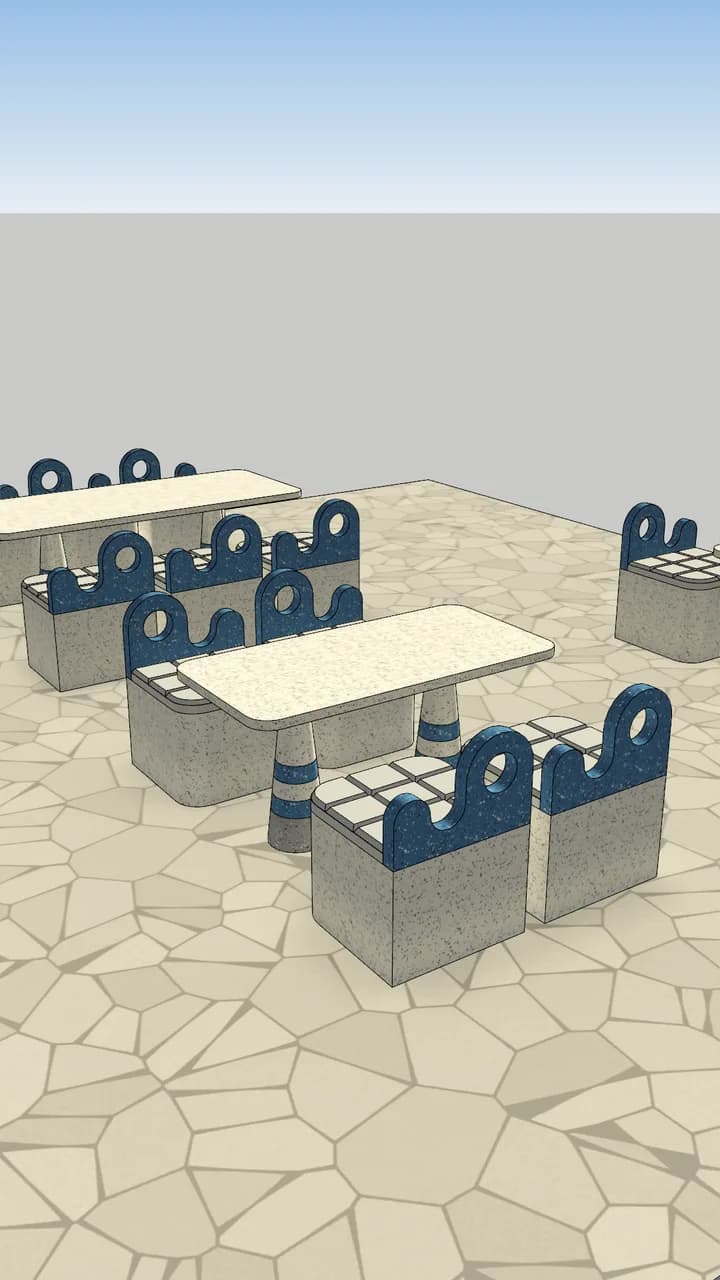
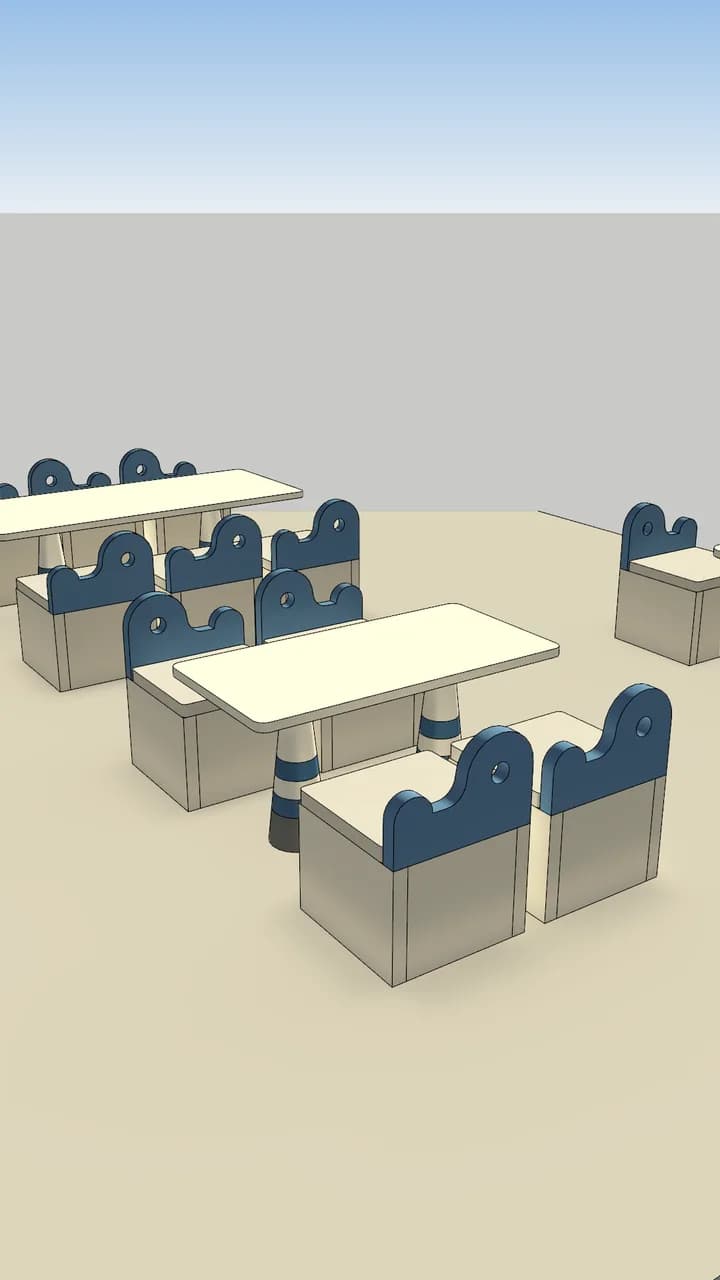
After: the café model with the new terrazzo familiesBefore: the café model with the old furniture
Delivered · Revit 2025

Project 01 · Café furniture

1 PDF → 2 families, 4 types

62 min
from PDF in to package ready
4
types: a chair and three tables
15/15
old pieces swapped in the café model
5
sheets, a schedule and a material takeoff
  • Input: one 8-page PDF of 2D drawings. A corner labelled R80 is drawn at 75 mm; the AI read the real lines and built 75.
  • One table family with three types, one or two pedestals, a nested pedestal family and a material parameter for every part.
  • Seven Revit runs, all by the AI. It failed its own flex test, fixed its code, and every type passed from run 5.
See the AI’s real run log
  1. PDF in · 8 pages · chair + 3 tables, 2D only
  2. PDF vector reader written · sizes to the mm
  3. Revit add-in built
  4. starts its own Revit
  5. run 1 · no open transaction · fixing
  6. run 2 · TT3 corners came out R90, drawn R100 · fixing
  7. run 3 · flex test failed · fixing
  8. run 4 · flex test failed · fixing
  9. run 5 · TT1 OK · TT2 OK · TT3 OK
  10. FLEX TT1 1500 × 750 · TT2 750 × 750 · TT3 2100 × 900 → OK
  11. 4 .rfa files saved
  12. café model upgraded · 15 / 15 swapped · sheets out
  13. package ready · 62 min
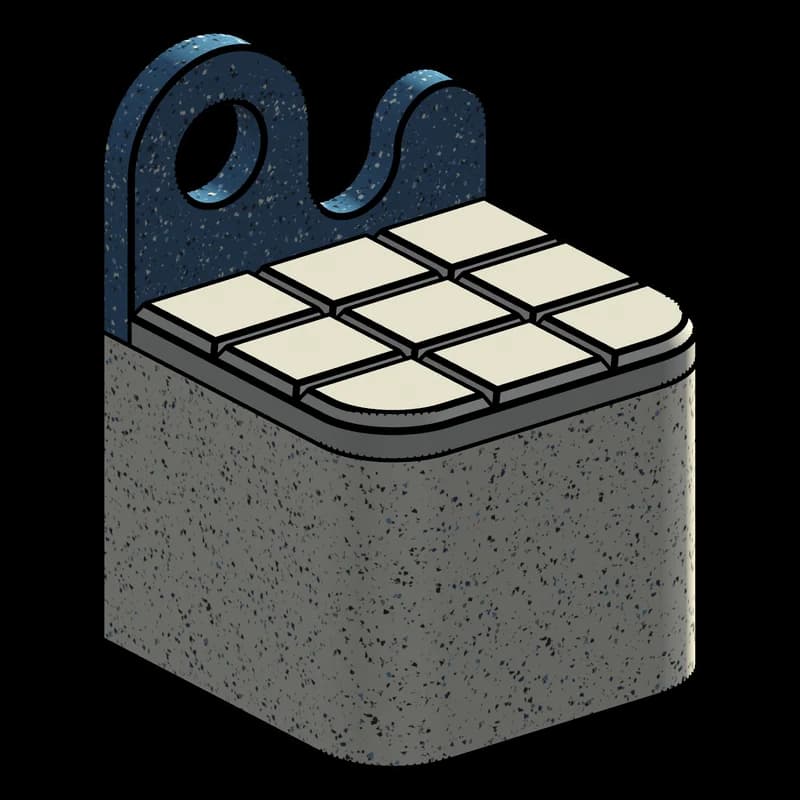
  • Chair T1, Revit 3D view

    Chair T1600 × 600 · seat 450

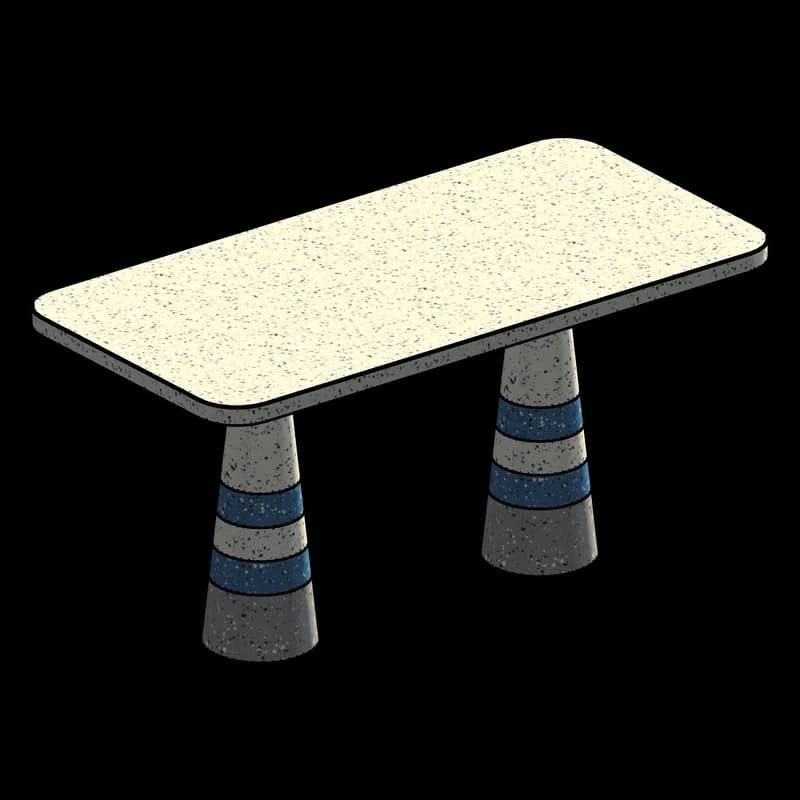
  • Table TT1, Revit 3D view

    Table TT11500 × 750 · 2 pedestals

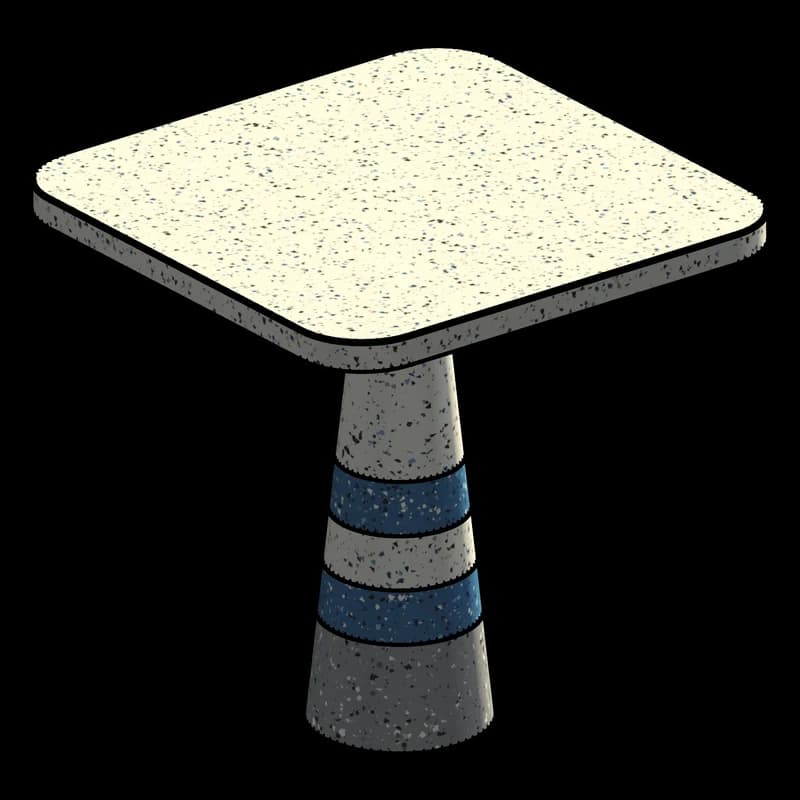
  • Table TT2, Revit 3D view

    Table TT2750 × 750 · 1 pedestal

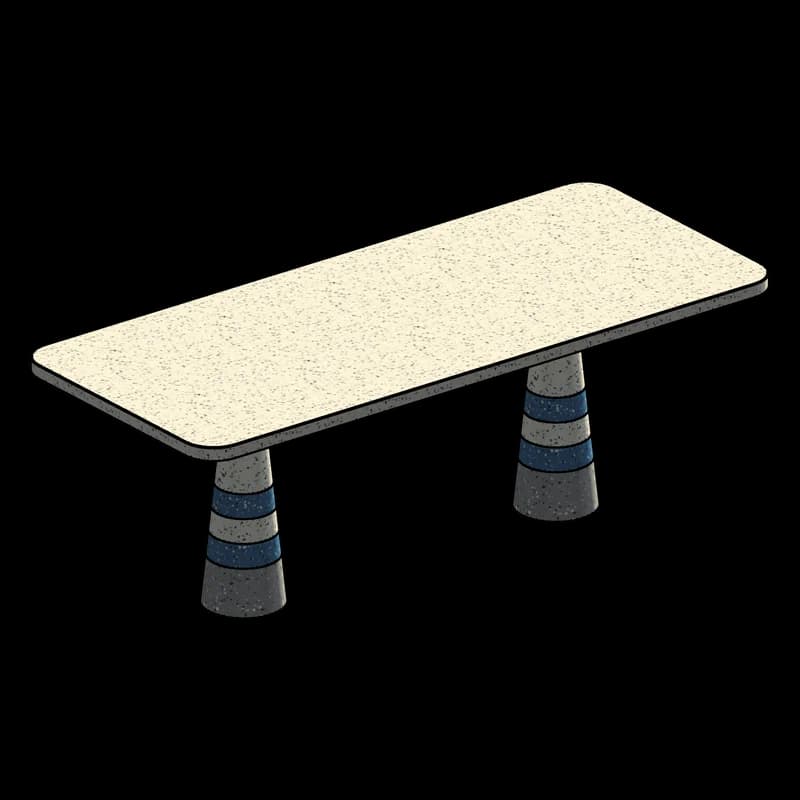
  • Table TT3, Revit 3D view

    Table TT32100 × 900 · 2 pedestals

Project 02

Your families could be next.

Send us a file and we’ll tell you what we can build, how fast, and for how much.

Start here

05 · Bigger than families

Families are where
our AI starts.

The same AI reads drawings, drives Revit through our own add-ins and checks its own work. Here's where we're taking it.

  • Available now

    Any file → families

    PDFs, images, sketches, CAD, SketchUp, 3ds Max or old families in; loadable, parametric .rfa families out.

  • Available now

    Catalogues → libraries

    A manufacturer's whole range as one consistent library: types, shared parameters and your naming standard.

  • In development

    One-click documentation

    Dimensions, tags, elevations, sections and sheets, placed for you.

    Try the demo →
  • In development

    Model checks

    Naming, parameters, families and standards checked across a whole model before handover, with a report.

06 · Revit families

Send us your files.

PDF, image, sketch, CAD, SketchUp, 3ds Max, Rhino or an existing family: tell us what you have and what you need. We’ll reply with a quote and where to upload your files.

Where is the project?
Firm size
What do you need? pick any
Timeline optional

We only use these details to reply to you.